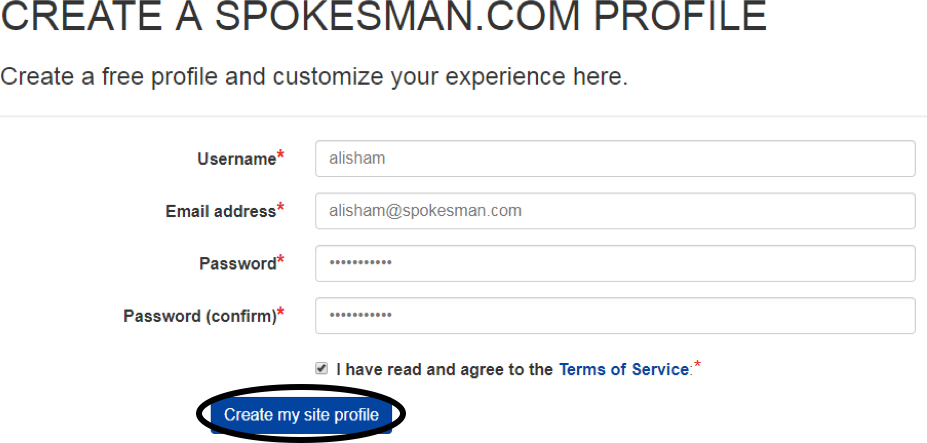
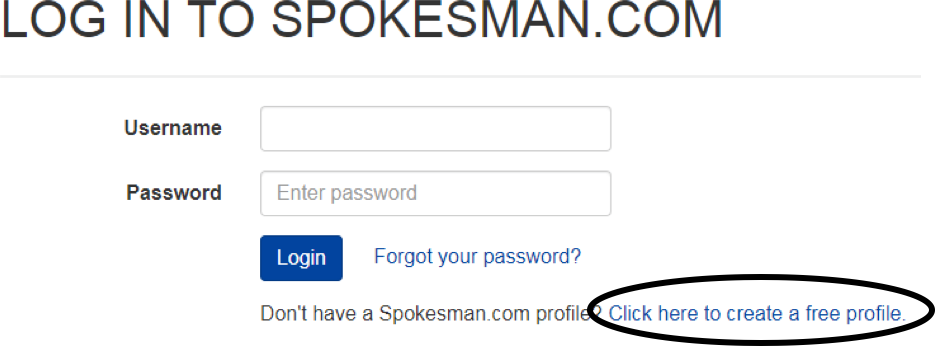
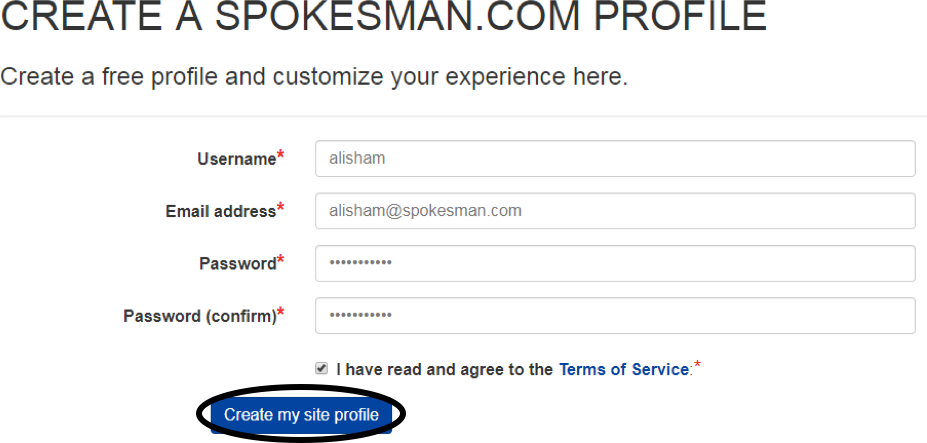
Enter a username (case sensitive), email address, password (also case sensitive), and confirm the password
Check the box for ‘I have read and agree to the Terms of Service’ (the Terms of Service can be read by clicking on the Terms of Service link)
Click the ‘Create my site profile’ box
An activation email is sent once registration is complete. Log in to your email client and open the email from The Spokesman-Review. Click on the activation link inside the email
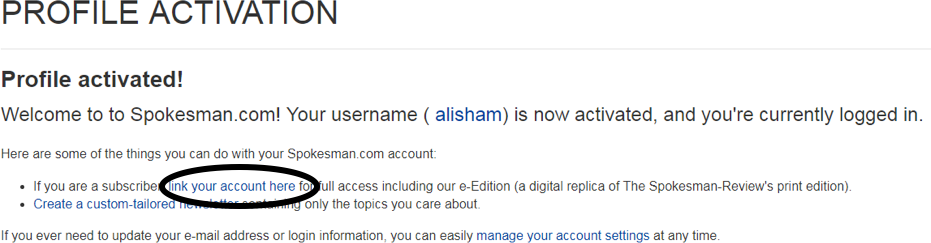
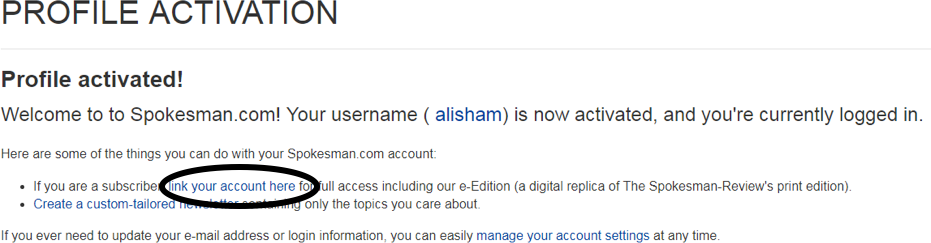
Clicking on the link will redirect you to the profile activation page on The Spokesman-Review website
On the profile activation page, click on ‘link your account here’
Enter the area code, phone number, and ZIP code on your subscription and click submit
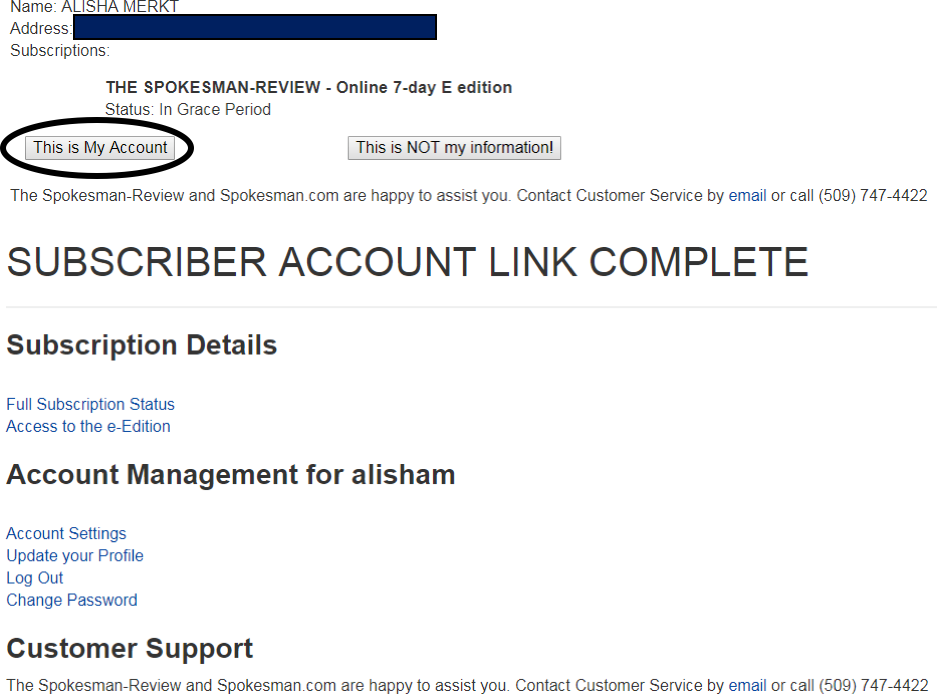
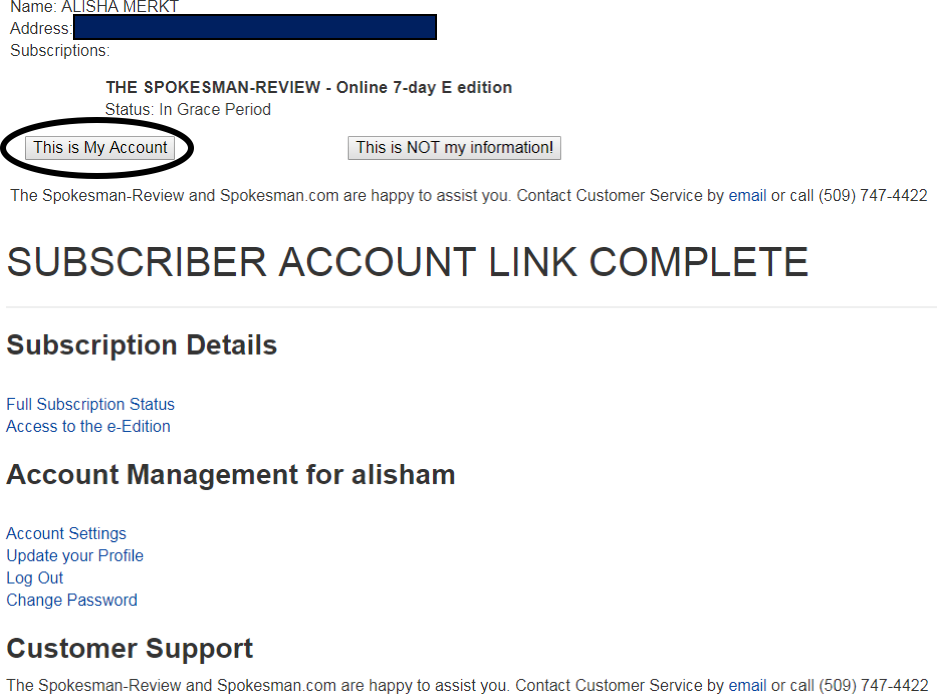
Click on ‘This is My Account’ if the account information is correct, or click on ‘This is NOT my information!’ if the information is incorrect. Clicking on ‘This is My Account’ will complete the link process