
Paper cuts
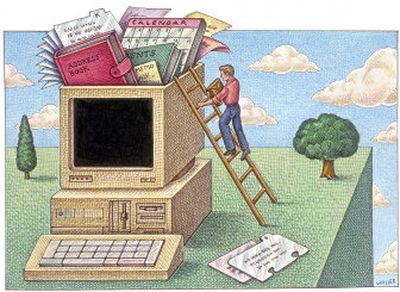
Do you have a paper memory, or do you have a digital computer memory? If you have a paper memory, the new year is a busy time. If you have a digital computer memory, meaning you use a computer program to keep yourself organized, things are a lot easier.
I’m not being judgmental; I’m just pointing out that if you have a personal computer, which most people do, you can save yourself a lot of time by using computer programs instead of traditional paper ones.
You can use your desktop applications to manage your information. You can also use a variety of online tools that do the same thing. The advantage of the online option is the ability to get that data wherever you are, as long as you can reach the Web.
Yahoo, Google Mail, MSN or Earthlink — just to mention four — offer online calendars or address books.
But if you go to the effort to type in your contacts and schedules and meetings in any program, be sure that you can get the information back out.On my MSN account I have e-mail, calendar and an address book. There’s a calendar function, but I’d have to type everything anew. But it looks like once I got my information into this address book and calendar, I couldn’t get it back out again. An export function is lacking.
Google’s Gmail service has an address book that lets me import my contacts from other programs. It also has a calendar with nice functionality, but again it looks like there’s no way to get my data back out again.
Other online sites with similar options include Lycos, YouTube, MySpace, and Facebook. But I have concerns about doing online what I can best do myself on my computer.
One of the most common computer programs used for calendars, contacts and e-mail is Microsoft Outlook, which most computers come bundled with as part of Microsoft Office.
Outlook has a good selection of tools for everyday business and personal tasks, so I’ll use it in our paper vs. computer memory comparison.
If you’re of the paper mentality, you’ll be very busy putting up paper calendars, marking key days like birthdays and special events, and transferring information from your old calendars to your new one. If you use Outlook, probably most of those birthdays and special events and meetings are already in your computer and will just repeat themselves for 2008. For meetings and events you set up the recurrence of the event and it will appear automatically weekly, monthly or whatever.
If you have a paper mentality, you’ll probably spend considerable time copying names and addresses into your 2008 address book. If you use Outlook, there’s no work to do; it’s all there.
If you’re of the paper mentality, how do you handle your “things to do” list? Still using that string around your finger, or do you have those more modern sticky notepads?
With Outlook you can create a to-do list, assign priorities and due dates to tasks.
With paper, you probably write upcoming appointments on your calendar. With Outlook all your appointments are there; your computer will remind you in advance when an appointment is coming up. If you have to reschedule it, you just drag and drop it to the new day and time.
And Outlook lets you export your data — addresses, calendar and the rest — to other devices. For the past five years I’ve worn a Timex Ironman watch that lets me download my Outlook contacts, schedule and lists, putting all that data with me at all times, on my wrist.
So maybe for 2008 you might consider switching mentalities.